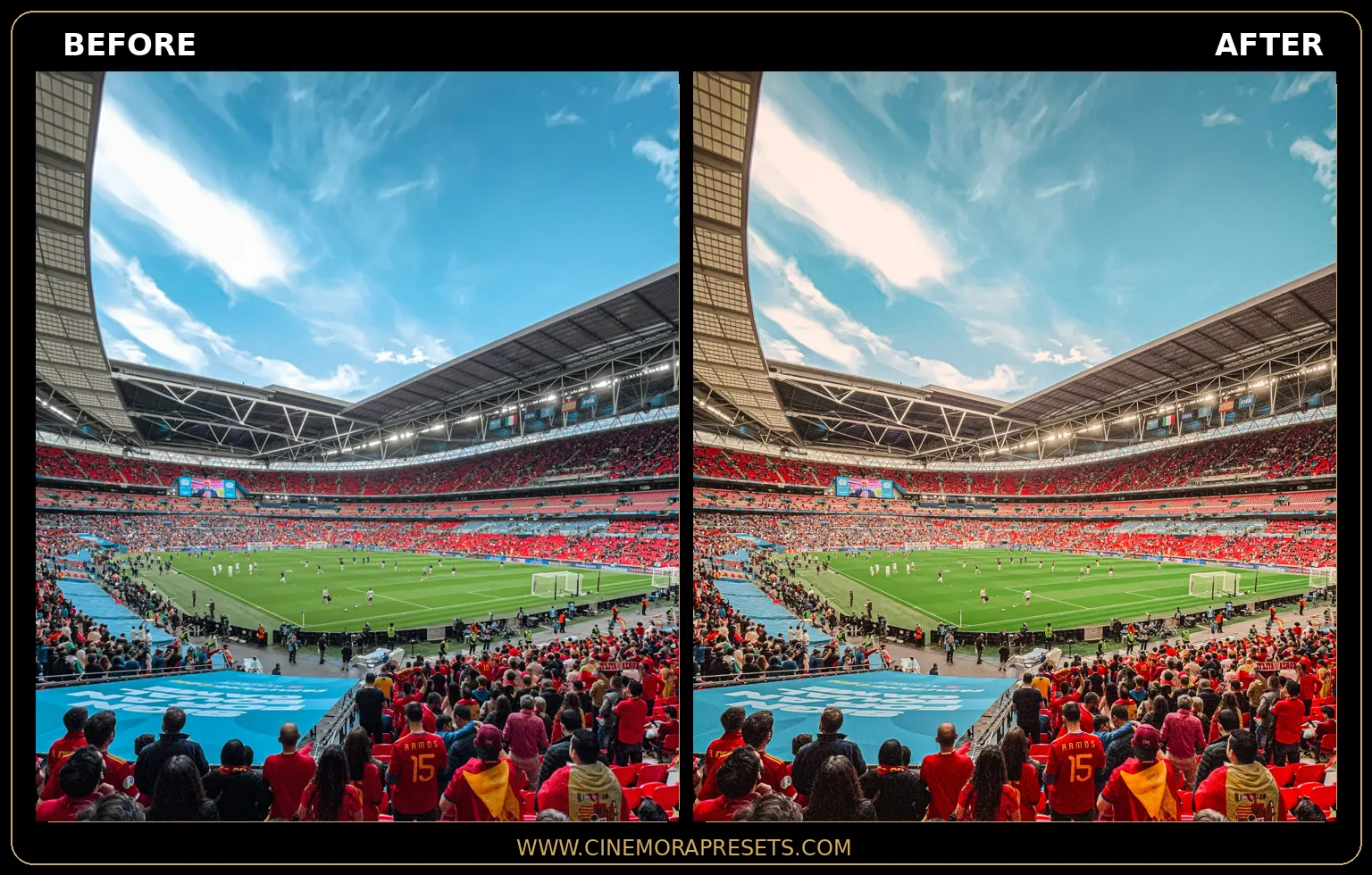
Football photos are some of the hardest images to edit. Between bright stadium lights, fast-paced action, colorful team jerseys, and constantly changing shadows, getting a balanced edit can be challenging. Standard Lightroom presets often make the grass look too yellow or oversaturated, while players can blend into the background and lose detail.
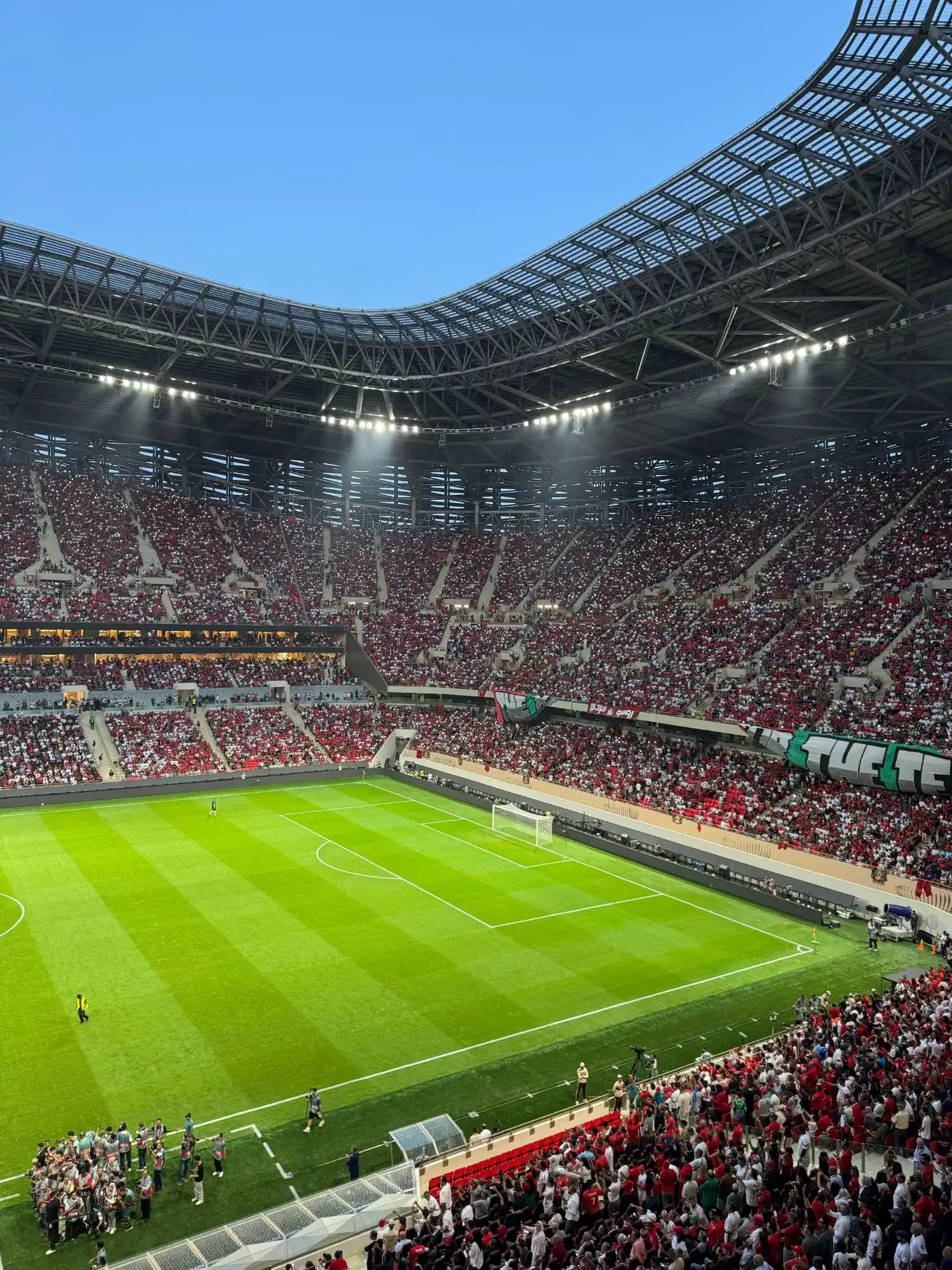
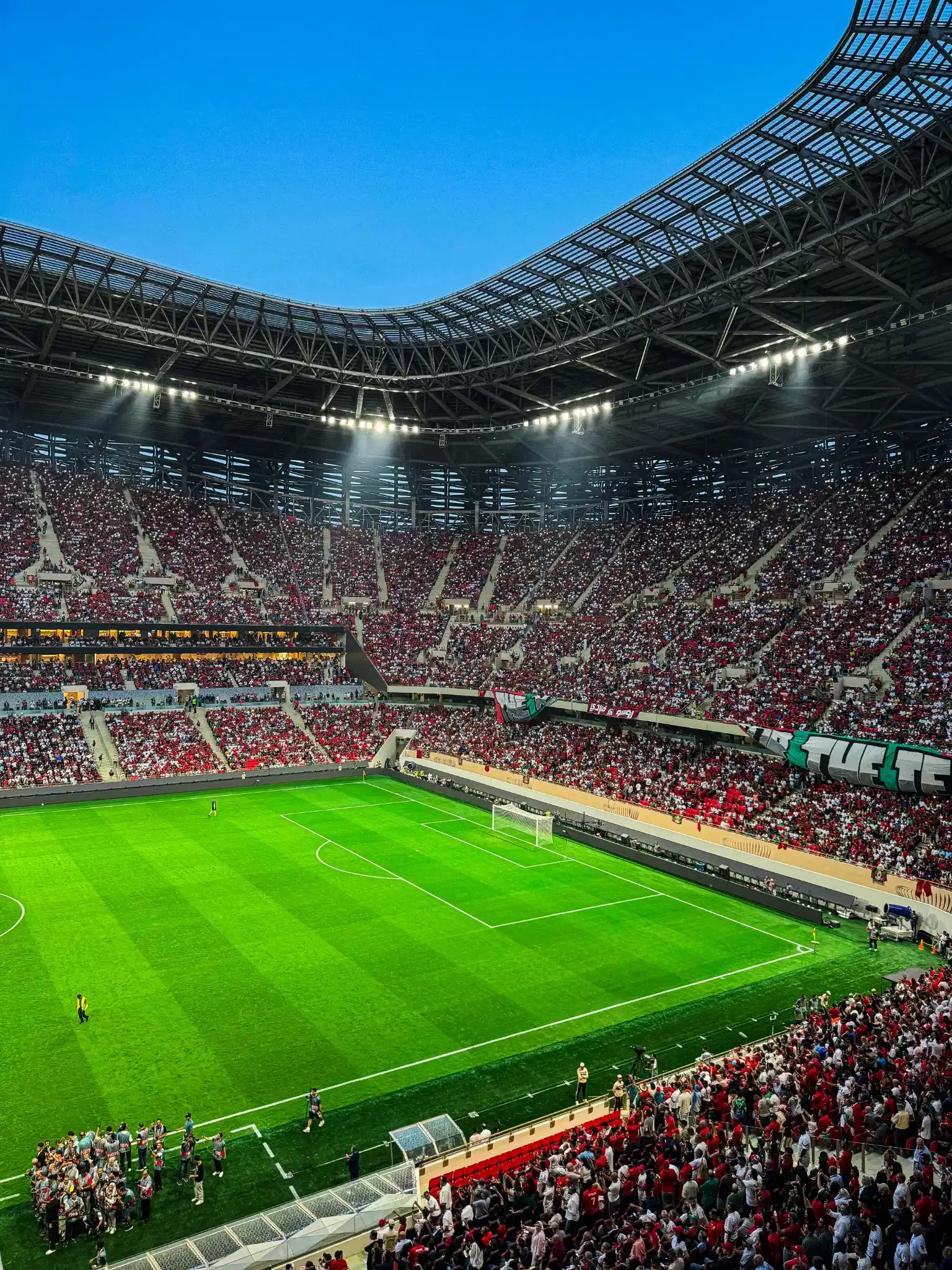
I created this free Football Field Lightroom Preset pack to solve those exact problems. These presets are designed to enhance the rich green tones of the pitch, maintain natural skin tones under stadium lighting, and add clean contrast so players, jerseys, and the ball stand out clearly during match-day action.
Whether you're editing local football games, sports photography, soccer tournaments, or World Cup-inspired football shots, these presets help create a professional stadium look in just one click. They come in the standard XMP format, making them fully compatible with both Lightroom Mobile and Lightroom Desktop without any extra setup.
How to Edit Football and Stadium Photos in Lightroom
Football and stadium photography has its own set of challenges. The field is huge, the lighting is uneven, and the action moves fast. Here is a simple way to edit your game day shots so they look clean and professional:
Broadcast Punch Lightroom Preset Settings & Slider Values
Exposure: +0.05 | Contrast: +25 | Highlights: -22 | Shadows: +8 | Whites: +10 | Blacks: -10 | Clarity: +22 | Vibrance: +25 | Dehaze: +10 | Grain: 0
For other outdoor sports and nature shots, try our Landscape presets or Green presets.
Fix the Green Grass Color
Stadium grass can look yellow or dull in photos, especially under artificial lights. All four presets shift the Yellow hue toward green (between -15 and +5) and push the Green hue toward emerald (+18 to +25). If you want to fine-tune it further, go to the Color Mixer panel and adjust the Green and Yellow sliders to match your field.
Balance the Stadium Lights
Stadium floodlights are extremely bright and can wash out the sky and players' faces. These presets pull Highlights between -15 and -30 to recover detail in bright areas. If the sky above the stadium still looks completely white, use a graduated filter at the top to darken it slightly.
Make Players Stand Out
In wide shots, players can get lost against the grass. The Broadcast Punch preset uses Clarity +22 and Vibrance +25 to make jerseys and field markings pop. For close-up action shots, use a radial filter around the player and bump the Exposure slightly.
Handle Night Game Shadows
Night games create deep, dark shadows along the sidelines and under the stands. The Stadium Lights preset lifts Shadows to +18 and raises the black point on the tone curve, keeping detail visible without crushing everything to pure black.
Installation Guide
Setting up these presets on your phone or computer is very simple:
- Download the ZIP file containing the XMP preset files.
- If you need step-by-step instructions for your specific device, follow my guide on how to install Lightroom presets for instant setup help.
What's Included
This free pack includes 4 custom XMP presets designed for football and stadium photography:
- Stadium Lights (cool-toned preset that balances harsh floodlights, lifts shadows, and adds a slight blue tone to the highlights for a clean night game look)
- Golden Pitch (warm golden hour style with boosted vibrance, warm shadow tones, and a soft highlight glow for sunset and daytime games)
- Broadcast Punch (high contrast, high vibrance preset with strong clarity and sharp detail, making jerseys and field markings pop like a TV broadcast)
- Cinematic Turf (desaturated, moody film look with faded blacks, subtle grain, and a cool cinematic color grade for dramatic storytelling shots)
Preset Style & Color Tone
All four presets shift the Yellow hue toward green to make grass look rich and natural instead of yellow. The Green hue is pushed toward emerald across the board. Stadium lights are balanced through highlight recovery and shadow lifting. Each preset uses a custom tone curve that slightly raises the black point for a subtle matte feel. Sharpness is set between 50 and 70 depending on the preset, so details in jerseys and field lines stay crisp.
Best Photos for This Preset
These work great on football game photos, stadium shots, tailgate pictures, soccer field images, rugby games, and any outdoor sports photo taken on grass with stadium lighting. They also look good on practice field shots and youth league games.
After downloading, extract the ZIP file and import the XMP presets into Lightroom.
Frequently Asked Questions
Why does my grass look too bright or neon green?
Some stadiums have artificial turf that is already very green. If the preset makes it look too bright, just go to the Color Mixer panel and pull the Green saturation slider down a little bit. This will tone it down to a natural look.
Do these presets work on phone photos from the stands?
Yes. These presets work on any photo including phone shots. Since stadium photos from the stands are usually taken from far away, you might want to add a bit of extra sharpness using the Detail panel in Lightroom.
Can I use these for indoor football or basketball photos?
These presets are tuned for outdoor green grass and stadium lighting. For indoor sports with different floor colors and lighting, you may need to adjust the white balance manually after applying the preset.
Will these work on night game photos?
Yes. The Stadium Lights preset is built to handle harsh white floodlights used during night games. It pulls the temperature cooler, brings back highlight details, and lifts the shadows so they do not go completely black.
What format are these presets in?
All presets are in the standard XMP format. They work on Lightroom Mobile for iPhone and Android, Lightroom Desktop for Windows and Mac, and Lightroom Classic.