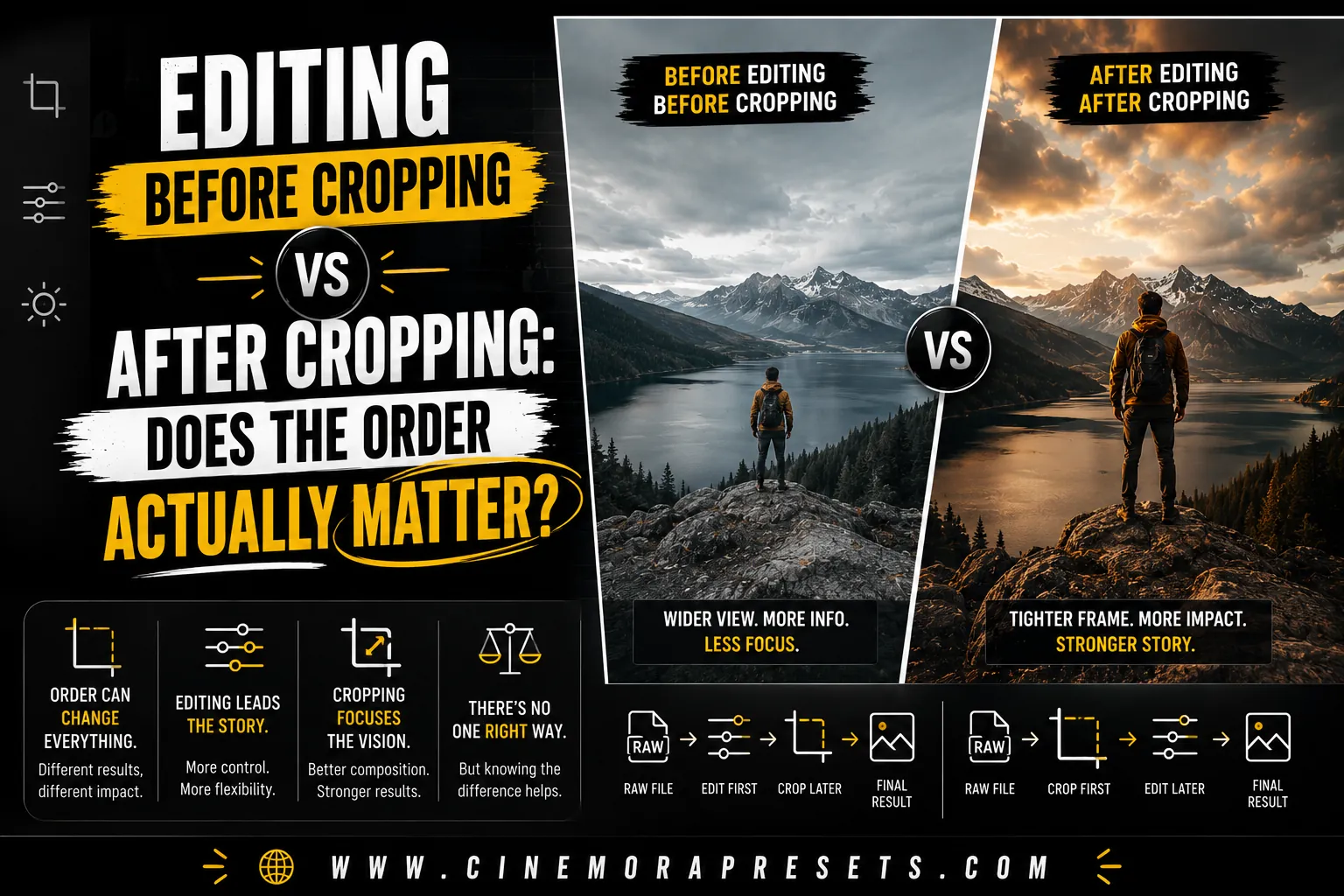
TL;DR: Cropping first is the best workflow. It removes distracting colors and light sources before you edit, keeping your eyes and camera histograms from being fooled by parts of the photo you do not even want.
The Short Answer
Yes, the order matters, but not for the reason most people think. You should crop your photo first for composition, and then adjust the exposure and color last.
Doing this ensures your eyes are not fooled by parts of the frame you are about to remove. It also keeps your tools working exactly where you want them.
What Most People Get Wrong
Many editors have a habit of applying a preset first, and then cropping the photo at the very end. This workflow can quietly throw off your entire edit without you realizing it.
If you check your histogram or set your exposure based on the full frame, you are looking at light you do not want. Cropping tight afterward might reveal a subject that is suddenly too bright or too dark.
Why Cropping First Makes Sense
Cropping first sets the stage for the rest of your edits. It makes sure you are only adjusting the light and colors that will actually be in your final image.
Composition changes what your eye focuses on
Your eyes adapt to the brightest and darkest parts of a frame. If you leave a bright sky in the photo while color grading, you will edit the subject differently than if you cropped the sky out first.
Vignettes and radial edits are positioned relative to the frame
Vignettes place dark borders around the edges of your photo. If you add a vignette and then crop the image, the dark borders will cut into your new composition and look off-center.
Skin tone and exposure look different after removing distractions
Bright red signs or green grass in the background can distract your eyes. Once you crop them out, you will notice that your subject's skin tone or brightness needs a completely different adjustment.
When Cropping After Actually Works Better
To be fair, there are times when cropping after editing is perfectly fine. If you are using a preset that only changes basic colors or mimics film look, the order does not matter as much.
These presets do not use local tools or vignettes that depend on the crop. In these cases, you can apply your style first and adjust your composition later without breaking the edit.
The One Exception: Vignettes and Radial Filters
Vignettes and radial gradients are the most common reason to crop first. These tools place light or dark areas in very specific spots based on the edges of your image.
If your preset includes a vignette, always set your crop first. Applying a vignette and then shifting the crop will move the dark areas away from the edges, often placing them over your subject's face.
My Actual Workflow
In my own editing, I always follow a simple three-step process. First, I crop and straighten the photo to get the final composition. This cleans up the frame and removes any unwanted light sources.
Second, I apply my preset to set the overall color mood and style. Third, I do a quick check of the exposure and white balance to make sure the subject looks perfect. This simple workflow saves time and prevents mistakes.
Bottom Line
While the editing order is not a strict rule, it does change your final results. Always crop first when your photo has distracting backgrounds or uses presets with vignettes. For simple color edits, either order works fine.
Frequently Asked Questions
Should you crop or color grade first in Lightroom?
You should crop first. Cropping first ensures that distracting background colors and light sources are removed before you adjust your exposure, white balance, and vignettes.
Does cropping affect your histogram?
Yes. When you crop out bright highlights or dark shadows, the histogram adjusts to show only the light values inside the new frame, making it easier to set correct exposure.
What happens if you apply a vignette before cropping?
If your preset applies a vignette or radial filter and you crop the photo afterward, the darkened edges can shift off-center and ruin the composition.
Is it ever okay to edit before cropping?
Yes. If you are applying a simple color correction or film look that does not use vignettes or local adjustments, the order does not matter as much.
