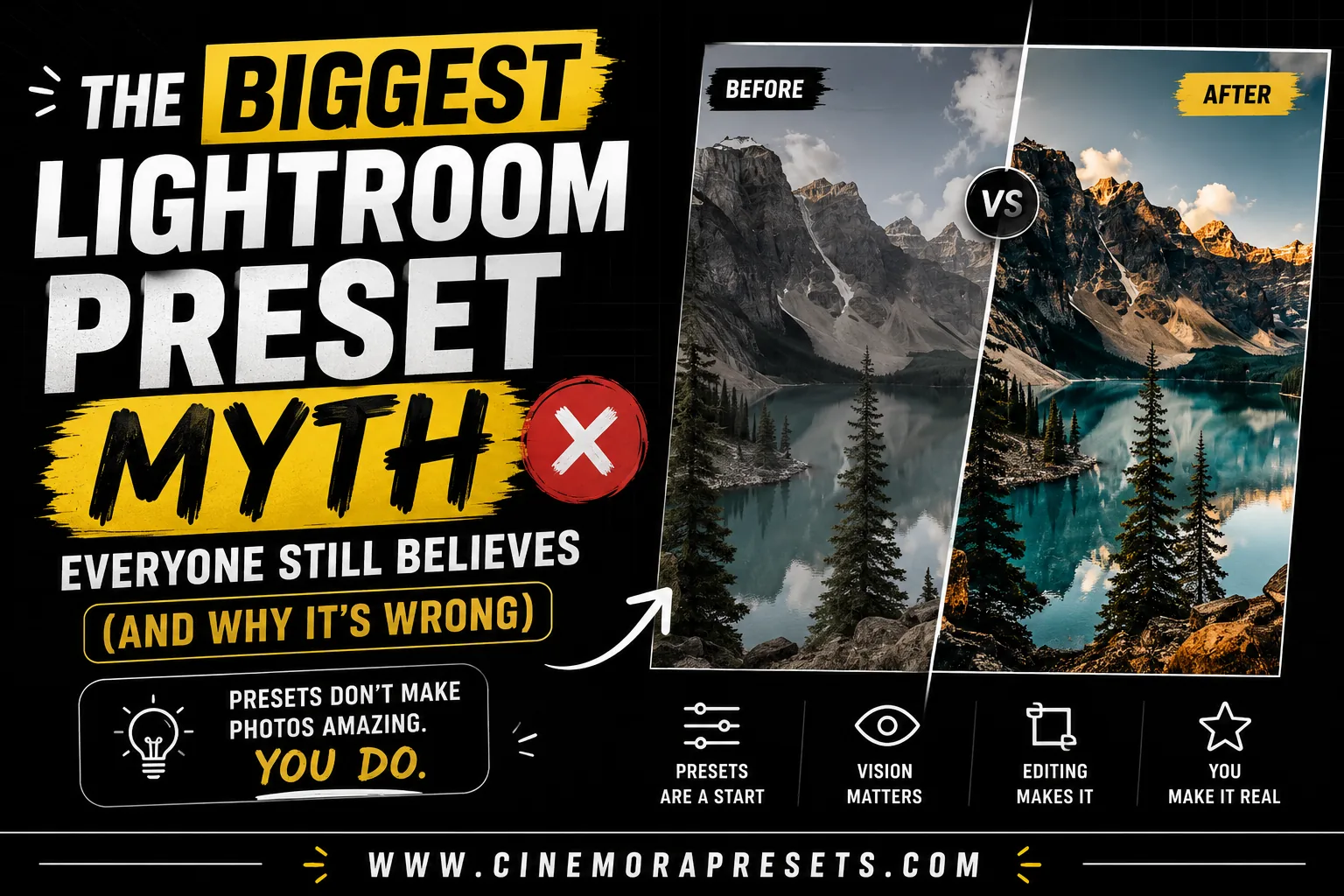
TL;DR: The biggest Lightroom preset myth is believing that presets are meant to be a finished, one-click edit. Because every photo has unique lighting and white balance, a preset is actually a professional starting point. Real photo editing speed comes from applying a preset and spending 10 seconds adjusting exposure and temperature.
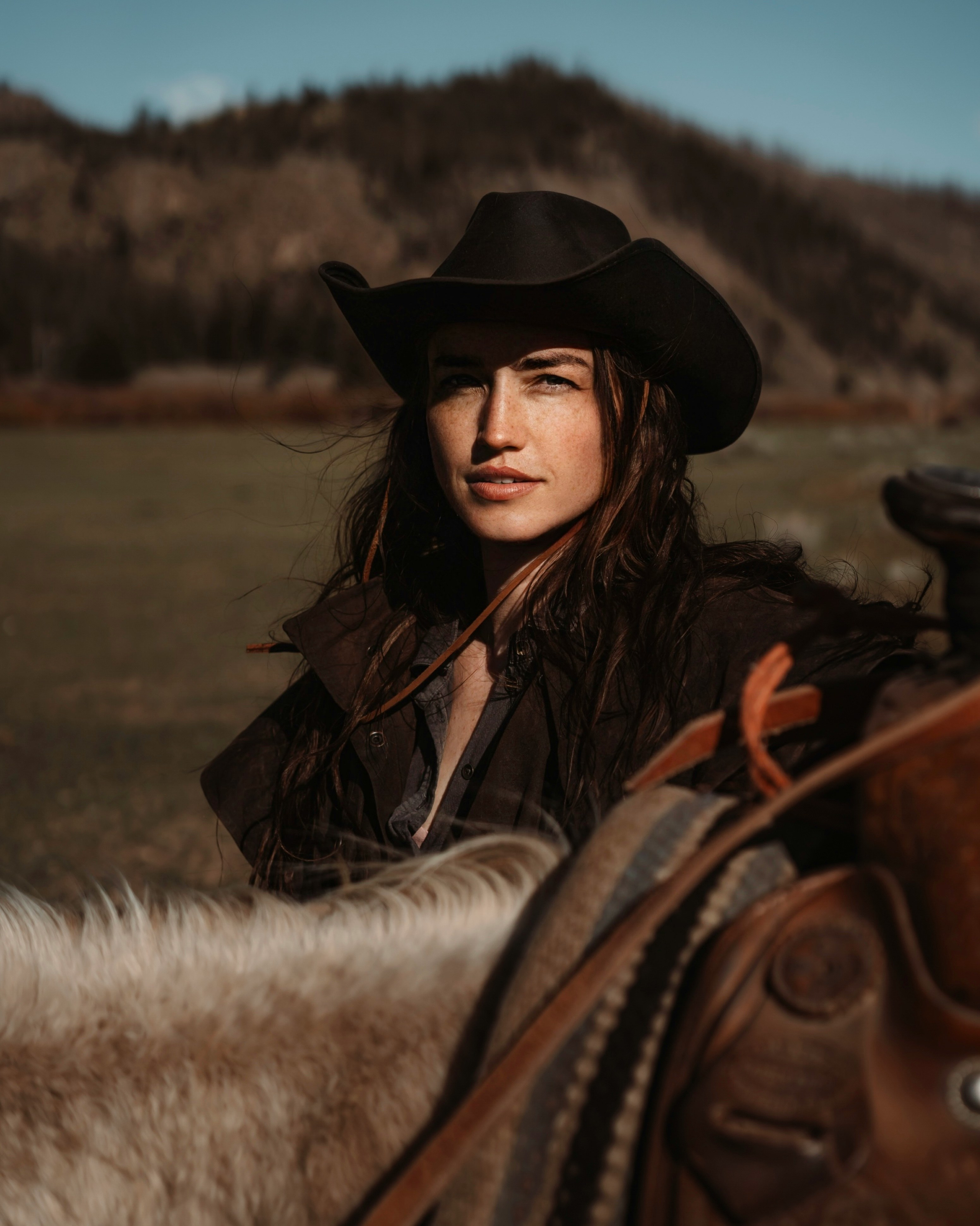
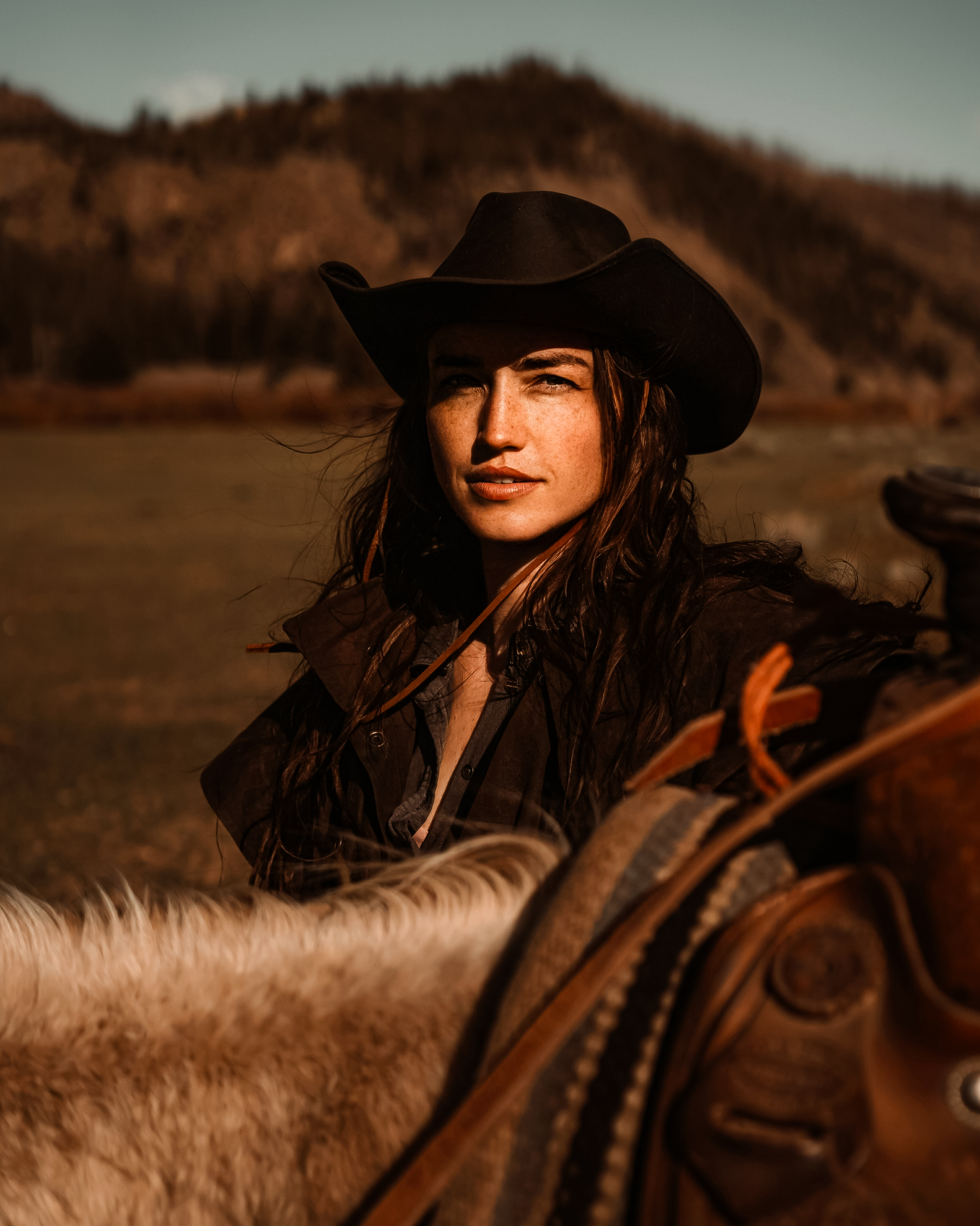
If you look at the middle image above, applying the preset directly made the photo look far too warm, brownish, and muddy. It does not look good on its own.
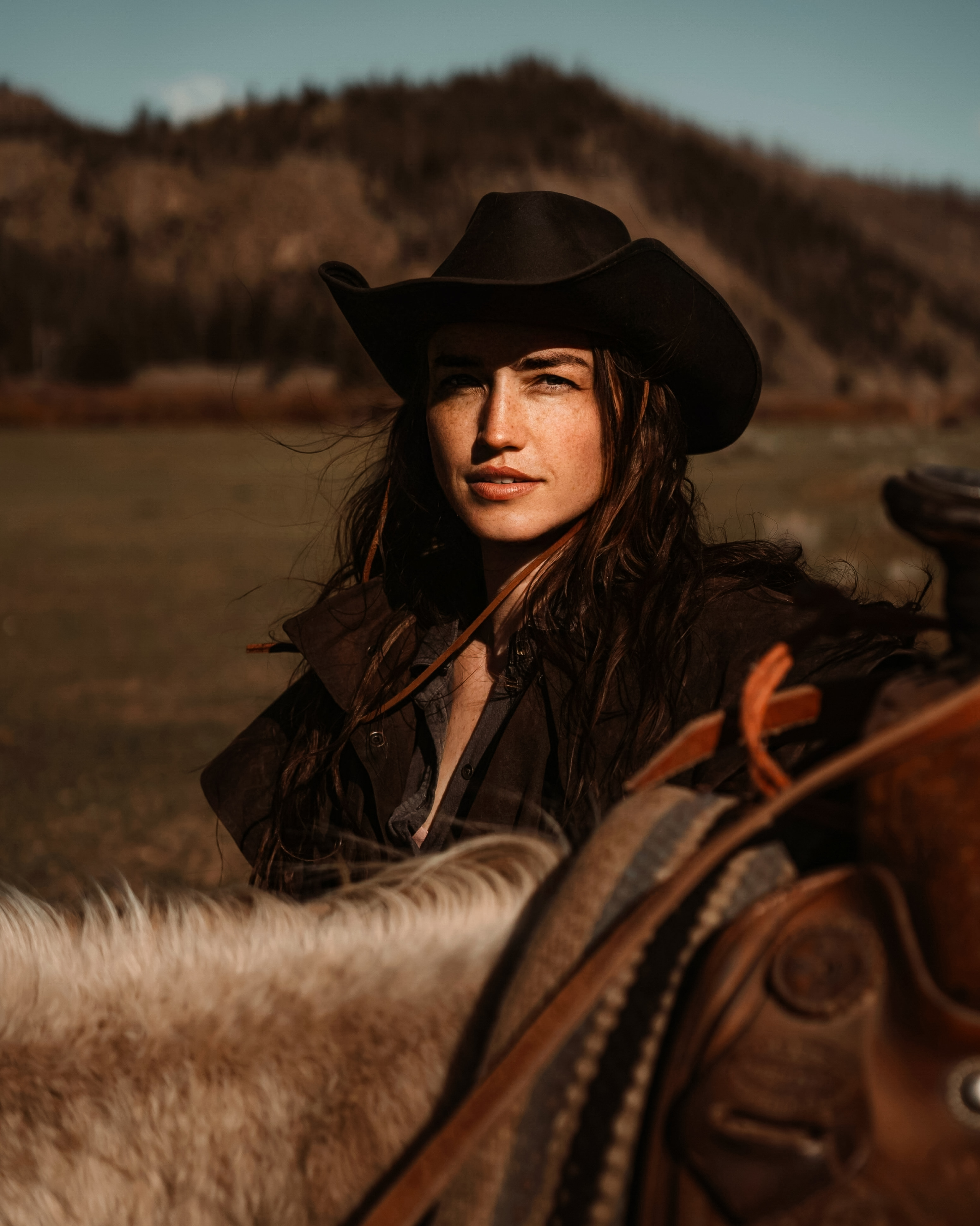
But with just a few quick tweaks in the third image—nudging the exposure and cooling down the temperature slider—the edit looks absolutely perfect.
The biggest Lightroom preset myth isn't about sliders.
It's about how people think presets work.
What is the Lightroom Preset Myth?
The Lightroom preset myth is the widespread belief that a high-quality preset should act as a one-click solution that finishes your photo edits automatically.
If you have spent any time watching tutorials on YouTube or scrolling photography forums, you have probably heard this advice:
"A good preset should work perfectly on every photo."
I believed that too.
Then I started editing hundreds of different photos using the same Cinematic preset, and I realized that this idea is completely wrong.
Here is why.
Why People Believe This Myth
It is easy to see why this belief is so common.
First, preset ads are everywhere. They show a quick screen recording of a muddy photo instantly turning into a masterpiece with a single click.
Second, Instagram creators make editing look effortless. They show before-and-after reels that skip the manual adjustments.
Finally, preset sellers want you to think their product is magic. They promise that you will never have to touch a slider again.
But when you import your own images, the reality is very different.
What Actually Happens Behind the Sliders
A preset is not a smart filter. It does not look at your photo and decide what needs fixing. It is just a saved list of specific slider values.
When you apply a preset, it simply copies those exact slider positions onto your photo. It moves your Exposure, Contrast, Highlights, Shadows, and HSL sliders to predetermined spots.
But here is the catch: presets are created in a very specific "environment."
A creator might design a preset using a photo taken on a bright, sunny afternoon during golden hour. They tuned the sliders to make that specific lighting look amazing.
If you take that exact same preset and apply it to a photo shot on a dark, overcast day, it will likely look terrible.
Why? Because the preset is expecting warm, bright golden light. Instead, it gets flat, cool light. The mathematical values that made the sunny photo look great will make the overcast photo look muddy or unnaturally green.
Every single photo has its own starting point:
- Different Lighting Types: Soft overcast light, harsh direct sun, warm indoor lamps, or colorful neon signs.
- Different Camera Profiles: A Sony camera captures colors differently than a Canon, a Fujifilm, or an iPhone.
- Different Exposure Levels: Your photo might be slightly too dark or slightly too bright to begin with.
- Different White Balance: The camera’s automatic temperature settings shift with every shot.
If the starting point of your photo is different than the photo the preset was designed on, the final result will be different too. It is like trying to wear a thick winter coat in the middle of a hot summer desert—the coat isn't broken, it's just the wrong environment.
The Pattern: How Different Environments React
After editing different types of photos, I noticed a clear pattern.
Presets do not fail randomly. They react to the lighting environment of the photo.
Here is what usually happens:
| Environment | Typical Preset Result | Quick Manual Fix |
|---|---|---|
| Outdoor Portrait | Rich contrast, but skin can get too dark | Nudge Exposure up (+0.30) |
| Sandy Beach | Turquoise water, but sand shifts color | Warm up Temperature |
| Green Forest | Olive tones, but shadows get dark | Lift Shadows (+20) |
| Street / City | Sharp details, but brickwork is dark | Lift Shadows (+30) |
| Indoor Café / Food | Cleans up colors, but looks dark | Increase Exposure (+0.60) |
| Night Scenes | High contrast, but shadows look grainy | Add Noise Reduction (+15) |
So What Is The True Lightroom Preset Myth?
The myth isn't that presets don't work.
The myth is believing that a preset is supposed to finish your edit.
Once you realize that a preset is actually a professional starting point, your editing will improve.
You stop looking for the "perfect" preset that does everything.
Instead, you find a preset style you love, and you learn how to finish it yourself.
What Professionals Actually Do
Professional editors do not spend hours on every single photo. They use a simple, fast workflow:
- Import: Bring the RAW images into Lightroom.
- Apply Preset: Apply their signature look to establish the color grade.
- Exposure: Nudge the brightness up or down to match the scene.
- White Balance: Adjust the temperature so skin and whites look natural.
- Crop: Straighten and frame the subject.
- Export: Send it to the client or post it.
This entire process takes only 30 seconds per photo.
Final Verdict: Are Presets Actually Worth It?
Presets are one of the biggest time savers in Lightroom.
But after editing hundreds of photos, I've learned that the best results come from treating them as a starting point rather than the final edit.
A few quick adjustments can make the difference between a good photo and a great one.
Frequently Asked Questions
Why doesn't my preset look like the creator's preview?
Every photo has different lighting, color temperature, and exposure. A preset applies the same slider adjustments, meaning it needs small manual tweaks to match your photo.
Is a preset supposed to be a one-click finish?
No. Professional photographers treat presets as a starting point. It gives you a consistent style, but you still need to adjust exposure and white balance.
What sliders should I adjust after applying a preset?
In most cases, you only need to tweak the Exposure slider to fix brightness, and the Temperature slider to fix the white balance.
Do professionals use presets in their workflow?
Yes. Professionals use presets to maintain a consistent style across all their work and speed up editing, then make quick tweaks on each image.
How long should it take to edit a photo using presets?
With a preset and minor manual adjustments, editing a single photo should take less than 30 seconds.